Navigated Total Knee Arthroplasty: An Intraoperative Masterclass
Key Takeaway
Precision in total knee arthroplasty is paramount for implant longevity. This masterclass delves into navigated TKA, emphasizing accurate component positioning and limb alignment. We'll explore preoperative planning, meticulous patient positioning, and the granular steps of intraoperative registration, ensuring optimal biomechanics and mitigating common pitfalls. Understand how real-time feedback guides critical decisions, enhancing surgical precision and improving long-term patient outcomes.
The Imperative of Precision: Navigated Total Knee Arthroplasty
Alright, team, gather around. Welcome to the operating theater. Today, we're performing a Total Knee Arthroplasty, but with a critical adjunct: computer-assisted navigation. This isn't just about fancy screens; it's about elevating our precision, minimizing variability, and ultimately, delivering a superior outcome for our patient. As the raw text reminds us, errors as small as three degrees in component positioning or limb alignment can significantly impact implant longevity and increase the risk of aseptic loosening. Furthermore, incorrect rotational alignment is a common culprit for postoperative anterior knee pain and patellar tracking issues. Our primary aim with navigation is to mitigate these risks by providing real-time, objective data, allowing us to make informed, dynamic adjustments throughout the procedure.
Preoperative Planning: Laying the Foundation for Precision
Before we even make an incision, meticulous planning is paramount. For a navigated TKA, this involves more than just standard templating.
- Patient Selection & Imaging: We've reviewed our patient's standing anteroposterior, lateral, patellar skyline, and full-length alignment radiographs. These are crucial for assessing the mechanical axis, identifying any significant coronal or sagittal plane deformities, and evaluating bone stock. CT scans might be utilized for complex deformities or prior hardware, though less commonly for routine navigation.
- Implant Selection: Based on the patient's anatomy and bone quality, we've selected our prosthetic components – femoral, tibial, and patellar. While navigation doesn't choose the implant, it ensures optimal placement of the chosen components.
- Navigation System Setup: The navigation system itself requires setup. Our dedicated technician has already calibrated the optical camera array, ensuring it has an unobstructed line of sight to the surgical field where our reference arrays will be placed. The monitors are positioned ergonomically for both the primary surgeon and the fellows, providing clear visibility of the real-time data.
Patient Positioning and Surgical Setup: The Canvas for Our Work
Now, let's turn our attention to the patient. Proper positioning is absolutely non-negotiable for any TKA, but for navigation, it has added layers of importance to ensure stable reference points.
- Supine Position: Our patient is supine on the operating table. This is the standard.
- Leg Holder and Foot Support: The affected limb is positioned in a specialized leg holder. We ensure the hip is neutral, and the knee is flexed to approximately 90 degrees, allowing full range of motion without obstruction. The foot is supported, often by a padded foot roll or a dedicated footrest, to prevent external rotation and maintain a stable position. This stability is critical for accurate registration later.
- Tourniquet Application: A pneumatic tourniquet has been applied high on the thigh. We'll inflate this after exsanguination to provide a bloodless field, which is essential for clear visualization, especially during landmark registration.
- Sterile Draping for Navigation: This is where navigation adds a layer of complexity. We perform a standard sterile preparation and draping, but we must ensure that the areas where our reference arrays (trackers) will be pinned to the bone are accessible and remain sterile. The camera array must have an unimpeded view of the trackers at all times. We use specific clear plastic drapes or incise the drapes to allow visualization of the trackers by the camera.
Comprehensive Surgical Anatomy: Navigating the Landscape
Before we make our incision, let's quickly review the critical anatomy we'll encounter and how it relates to our navigation process.
- Osteology: We're primarily concerned with the distal femur, proximal tibia, and patella. Navigation will require us to precisely identify various points on these bones:
- Femur: The distal femoral condyles (medial and lateral), the posterior femoral condyles, the epicondyles (medial and lateral, defining the surgical epicondylar axis), and the intercondylar notch. We'll also need to identify the hip center, either through palpation and rotation of the leg or via specific navigation algorithms, as this is crucial for defining the mechanical axis of the femur.
- Tibia: The medial and lateral tibial plateaus, the tibial tubercle, and the ankle center (medial and lateral malleoli). The ankle center, like the hip center, is vital for defining the mechanical axis of the tibia.
- Patella: Its position and tracking will be assessed.
- Muscular Intervals: Our standard approach is typically a medial parapatellar arthrotomy. This involves incising the quadriceps tendon longitudinally, reflecting the patella laterally. We will carefully dissect through the subcutaneous tissue, fat, and then incise the medial retinaculum and joint capsule.
- Neurovascular Risks: This is paramount.
- Peroneal Nerve: Runs superficially around the fibular head. It's particularly vulnerable during lateral releases or aggressive retraction, especially in valgus deformities. We must be exquisitely careful with lateral retractors.
- Popliteal Artery and Vein: These major vessels lie in the popliteal fossa, posterior to the knee joint. They are at risk during posterior capsular releases, excessive posterior tibial cuts, or if our femoral component sizing is too large, leading to posterior impingement. Navigation helps us control the depth and angle of our cuts, indirectly reducing this risk.
- Saphenous Nerve: A sensory nerve that runs with the saphenous vein on the medial aspect of the knee. It can be injured during medial dissection or skin incision, leading to numbness.
- Femoral Neurovascular Bundle: Located proximally in the femoral triangle, generally safe with our distal approach, but always in our awareness.
Step-by-Step Intraoperative Execution: The Navigated Approach
Now, let's get down to business. Scalpel, please.
1. Incision and Initial Exposure
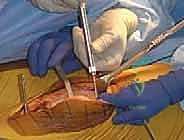
"We'll make our standard midline longitudinal incision, fellows, from just proximal to the patella down to the tibial tubercle. Let's ensure it's long enough to provide adequate exposure without excessive tension on the skin edges."
- Skin Incision: Use a #10 blade to make a precise, single-stroke incision through the skin and subcutaneous tissue.
- Deepening the Incision: Cautery for hemostasis as we dissect through the subcutaneous fat. Identify and preserve any significant superficial veins.
- Medial Parapatellar Arthrotomy: "Now, we'll incise the medial retinaculum and joint capsule. I prefer a medial parapatellar approach. Start proximally at the vastus medialis obliquus, extending distally along the medial border of the patella and patellar tendon, curving slightly laterally to avoid the infrapatellar fat pad."
- Patellar Eversion: "Carefully evert the patella laterally. This provides excellent exposure of the distal femur and proximal tibia. Ensure we don't unduly stress the patellar tendon or the lateral retinaculum."
2. Pin Placement for Navigation Reference Arrays
This is a critical step unique to navigation-assisted TKA. These pins will serve as stable anchors for our reference arrays, which the navigation camera tracks.
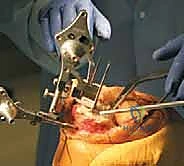
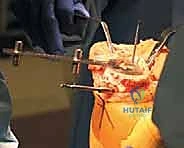
- Distal Femur Pin Placement: "We'll begin with the femoral tracker. I'll identify a safe zone on the anteromedial aspect of the distal femur, approximately 10-15 cm proximal to the joint line. This location is chosen to be well clear of our planned bone cuts, the patellofemoral joint, and any neurovascular structures. We want good cortical bone for secure purchase."
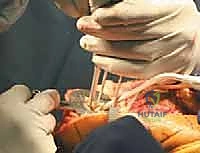
- Technique: "Using a small stab incision, we'll expose the bone. Then, with a drill, under constant visual guidance, we'll insert two threaded Steinmann pins or dedicated tracker pins. Angle them slightly convergent to maximize stability. Ensure they are firmly seated in the cortex, but avoid plunging. The pins must be absolutely stable; any motion will compromise our accuracy."
- Rationale: These pins provide a rigid, fixed reference point for the navigation system to track the femur's position and orientation in space.
- Proximal Tibia Pin Placement: "Next, the tibial tracker. We'll place this on the anteromedial aspect of the proximal tibia, again, approximately 10-15 cm distal to the joint line and medial to the tibial tubercle. This avoids our tibial cut and the patellar tendon insertion."
- Technique: "Similar to the femur, a small stab incision, then drill two threaded pins into the robust cortical bone. Ensure they are stable and not impinging on any soft tissues. The pins should not interfere with our surgical access or instrument placement."
- Rationale: This provides a stable reference for the tibia.
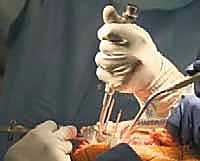
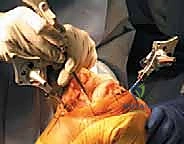
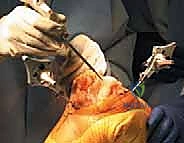
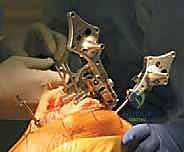
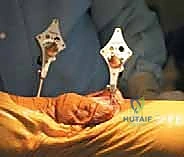
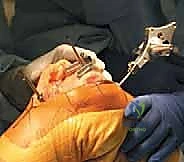
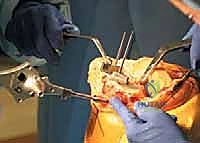
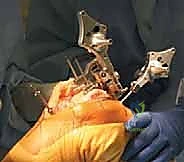
- Attaching Reference Arrays: "Now, we'll attach the sterile reference arrays, or trackers, to these pins. The arrays have reflective spheres or LEDs that the camera tracks. Confirm they are securely fastened and the camera has an unobstructed view of all spheres on both arrays."
> SURGICAL WARNING: Pin Placement
Incorrect pin placement can lead to several complications:
- Pin Loosening or Bending: Compromises accuracy, requiring re-pinning.
- Fracture: Risk, especially in osteoporotic bone.
- Neurovascular Injury: Though rare with careful placement, always consider the superficial nerves and vessels.
- Infection: Meticulous aseptic technique around pin sites is crucial.
- Interference: Ensure pins and arrays do not obstruct surgical access, instrument use, or fluoroscopy if needed.
3. System Initialization and Anatomical Registration
This is the core of the navigation process, where we digitize the patient's unique anatomy. The system relies on precise identification of these landmarks.
- Calibration of the Pointer: "Before we begin, we need to calibrate our navigation pointer. This ensures the system accurately knows the tip of our probe. The technician will guide us through this, typically by touching a known point multiple times."
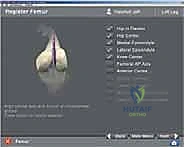
- Femoral Registration: "Alright, let's register the femur. The system will prompt us for specific anatomical points. I'll use our sterile navigation probe."
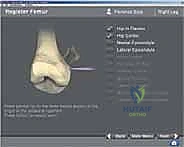
- Distal Femoral Condyles: "First, the most distal point on the medial and lateral femoral condyles. This defines our initial distal femoral reference."
- Posterior Femoral Condyles: "Next, the most posterior point on the medial and lateral femoral condyles. This is critical for establishing femoral rotation and sizing."
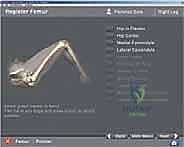
- Femoral Head Center (Hip Center): "This is a key step for determining the mechanical axis. We'll palpate the greater trochanter and, with the knee flexed, internally and externally rotate the leg while the system tracks the motion. The software uses this rotational data to calculate the center of rotation of the hip joint. Alternatively, some systems allow direct palpation in thinner patients, but the dynamic method is often more reliable."
- Epicondylar Axis: "Now, let's identify the medial and lateral epicondyles. These points define the surgical epicondylar axis, a crucial reference for femoral component rotation, often considered the most reliable anatomical landmark. We'll carefully palpate and digitize these prominent bony points."
- Other Landmarks: "We may also register the deepest point of the trochlear groove (patellar sulcus) and the anterior cortex of the femur, depending on the system and our preferred technique."
- Tibial Registration: "Moving to the tibia. Again, precise identification is key."
- Medial and Lateral Tibial Plateaus: "We'll register the most proximal points on the medial and lateral tibial plateaus. These define our initial tibial reference."
- Tibial Tubercle: "The tibial tubercle, a critical landmark for rotational alignment and extensor mechanism considerations."
- Ankle Center: "Similar to the hip center, we'll identify the center of the ankle joint. This can be done by palpating the tips of the medial and lateral malleoli or by a rotational maneuver of the ankle, allowing the system to calculate the center of rotation."
- PCL Attachment: "In some cases, we might also register the posterior cruciate ligament (PCL) attachment site, which can aid in posterior referencing."
- Soft Tissue Balancing Registration: "This is where navigation truly shines in providing objective data. We'll now put the knee through its paces and register the ligamentous laxity."
- Extension Gap: "With the knee in full extension, we'll apply a varus stress and register the medial opening, then a valgus stress and register the lateral opening. This gives us our extension gap in both planes."
- Flexion Gap: "Then, we'll flex the knee to 90 degrees and repeat the varus and valgus stress tests, registering the medial and lateral flexion gaps. This provides a quantitative assessment of our soft tissue balance."
- Dynamic Range of Motion (ROM) Registration: "Finally, we'll move the knee through its full arc of motion, from full extension to maximum flexion. The system tracks this motion, providing real-time data on the kinematic axis and overall range."
4. Real-time Feedback and Surgical Planning
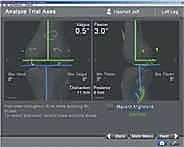
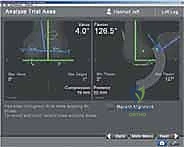
"Look at the screen, fellows. This is the power of navigation. We now have a precise, three-dimensional model of this patient's knee and limb alignment. The system displays:"
- Mechanical Axis: The true mechanical axis of the limb, showing any varus or valgus deviation.
- Component Rotational Alignment: Objective measurements of the femoral and tibial rotational axes relative to our chosen anatomical landmarks (e.g., epicondylar axis for the femur, tibial tubercle for the tibia).
- Joint Line Orientation: The true orientation of the joint line.
- Flexion and Extension Gaps: Our measured soft tissue balance data.
- Range of Motion: The full arc of motion.
"This data allows us to precisely plan our bone cuts. We can virtually manipulate the femoral and tibial components on the screen, seeing the immediate impact on limb alignment, joint line, and predicted gaps. We can adjust our planned cuts in real-time, aiming for a neutral mechanical axis, balanced flexion and extension gaps, and optimal rotational alignment."
5. Bone Resection (Guided by Navigation)
"Now, we'll proceed with our bone cuts, guided by the navigation system. The system will display our cutting block's position and orientation relative to the planned cuts."
- Distal Femoral Cut: "We'll place our distal femoral cutting block. The navigation system will show us the exact varus/valgus angle and flexion/extension angle of the block relative to our target. We can make micro-adjustments until we are perfectly aligned. Once confirmed, we'll pin the block securely and make our cut."
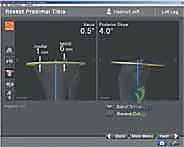
- Proximal Tibial Cut: "Similarly, for the tibia. The system will guide our tibial cutting block placement, ensuring the correct posterior slope and varus/valgus angle. We'll pin the block, verify the alignment on the screen, and then make our cut."
- Femoral Sizing and Rotation: "After the distal femoral cut, we'll use the navigation system to determine optimal femoral component size and rotation. The system can help us ensure our posterior condylar cuts are perpendicular to the epicondylar axis, preventing rotational mismatch and patellar tracking issues."
- Balancing and Further Cuts: "As we proceed, the navigation system continues to provide feedback. After initial cuts, we can reassess the flexion and extension gaps. If there's an imbalance, the system can guide us on whether to make minor adjustments to our cuts or perform soft tissue releases, providing objective data rather than relying solely on subjective feel."
> SURGICAL WARNING: Tracker Obstruction
The navigation camera must have an unobstructed view of the reference arrays at all times. If a drape, instrument, or even a surgeon's hand blocks the view, the system loses tracking, and we lose our real-time data. Be mindful of instrument placement and maintain a clear line of sight. If tracking is lost, repositioning or recalibration may be necessary, wasting valuable OR time.
Pearls and Pitfalls in Navigated TKA
Even with advanced technology, vigilance is key.
- Maintaining Pin Stability: The most common pitfall. If a pin loosens or bends, the entire reference frame shifts, rendering all subsequent data inaccurate. Solution: Immediately recognize tracking errors, remove the unstable pin, and re-pin in a new, secure location. Re-registration of affected landmarks will be necessary.
- Inaccurate Landmark Registration: If a landmark is incorrectly identified or digitized, all subsequent calculations will be flawed. Solution: Always double-check landmark palpation. If a measurement seems aberrant (e.g., extreme varus/valgus on a clinically mild knee), suspect a registration error and re-register the specific landmark.
- Soft Tissue Interference: Excessive soft tissue around pin sites or on the bone surface can obscure landmarks or interfere with tracker visibility. Solution: Meticulous soft tissue dissection and clear exposure.
- Learning Curve: There is a learning curve for navigating surgeons and OR staff. Solution: Practice, repetition, and clear communication within the team.
- System Malfunction: Hardware or software glitches can occur. Solution: Always have a backup plan. Be proficient in conventional, jig-based TKA techniques so you can seamlessly transition if navigation fails.
Postoperative Rehabilitation and Complication Management
Our work doesn't end when the last stitch is placed.
- Early Mobilization: The cornerstone of TKA recovery. Our patient will begin physical therapy on postoperative day one, focusing on early weight-bearing as tolerated (often full weight-bearing immediately) and achieving progressive range of motion.
- Range of Motion (ROM) Protocols: Specific protocols will be followed, aiming for at least 0-120 degrees of flexion. Continuous passive motion (CPM) machines may be used, though their routine benefit is debated.
- Pain Management: A multimodal approach is crucial, including nerve blocks, oral analgesics, and often NSAIDs (if not contraindicated).
- DVT Prophylaxis: Standard protocols for deep vein thrombosis (DVT) prophylaxis will be initiated, typically involving mechanical compression devices and pharmacologic agents (e.g., aspirin, LMWH).
- Wound Care: Meticulous wound care to prevent infection. Pin sites from the navigation trackers should be monitored for signs of infection, although these are typically removed in the OR.
- Complication Management:
- Infection: Vigilant monitoring for signs of infection (fever, redness, swelling, purulent discharge). Prompt diagnosis and treatment (antibiotics, debridement, or even revision) are critical.
- Stiffness: Aggressive physical therapy, sometimes requiring manipulation under anesthesia (MUA) if ROM plateaus.
- Instability: Often due to inadequate soft tissue balancing or component malposition. Navigation aims to minimize this risk. May require bracing or revision surgery.
- Neurovascular Injury: Rare but devastating. Prompt recognition and vascular/neurological consultation are essential.
- Aseptic Loosening: The long-term complication navigation primarily aims to prevent. Regular follow-up radiographs monitor for signs of loosening.
In conclusion, fellows, navigation in TKA is a powerful tool. It provides objective, real-time data that enhances our ability to achieve precise component positioning and optimal limb alignment. While it requires meticulous setup and attention to detail, the potential benefits in terms of implant longevity and patient satisfaction make it an invaluable adjunct in our pursuit of surgical excellence. Let's proceed with the utmost care and precision.
REFERENCES
references for instrument, bone cuts, and leg alignment. If a mistake in digitization occurs, the computer software usually will not progress. If a mistake is identified, the appropriate landmark should be re-registered.
- The navigation system makes more accurate information available for the surgeon, providing data that may help in making better decisions. It is still the surgeon, however, not the computer software, that decides how and where to make the cuts or release soft tissues to achieve the best implant position for the individual patient.
SURGICAL MANAGEMENT Preoperative Planning
- The most important step in preoperative evaluation is determining that the patient definitely does need the TKA.
ANATOMY
- Preoperative knee radiographs should include a standing anteroposterior (AP) view, a lateral view, and a skyline view of the patella. A long-leg standing AP radiograph usually is unnecessary, because the navigation system can accurately determine the mechanical axis of the limb intraoperatively, even in the presence of previous deformity secondary to trauma or previous surgical procedures.
-
The success of TKA depends on proper alignment of the prosthesis in the coronal, sagittal, and horizontal planes. The surgical principle for proper alignment in the coronal plane is to restore the mechanical axis to neutral by placing the femoral and tibial components vertical to the mechanical axis of the limb.
-
The mechanical axis is defined as a line connecting the center of the femoral head to the center of the ankle joint. The anatomic axis of the knee is described as the intersection of the lines drawn parallel to the long axis of the femur and tibia in the coronal plane and typically is between 5 and 7 degrees.
-
In the standard technique, templates can be used to anticipate approximate component size and bone defects that would have to be treated intraoperatively. In the navigation technique, intraoperative templating is performed by digitization of different anatomic areas.
-
In the standard intramedullary techniques, the anatomic axes are used as guides to estimate the mechanical axis; in navigation-assisted technique, however, the mechanical axes are determined and cuts are made perpendicular to those axes.
-
The preoperative range of motion also is assessed by the navigation system, which is more accurate and helps the surgeon plan different cuts, including femoral flexion and tibial slope.
-
Anesthesia, venous thromboembolism prophylaxis, and cardiovascular and internal medicine clearance are the same as that for standard TKA techniques.
-
When performing a TKA, the sagittal plane is kinematically important because most of the range of motion in the knee occurs in the sagittal plane. The degree of posterior slope of the proximal tibia has been used as the main indicator of proper sagittal alignment.
Positioning
- The patient is placed supine on the operating table.
-
The mechanical axis of the tibia on the sagittal plane can be determined in different ways. In one method, the midpoint of the tibial plateau is connected to the midpoint of the talus. In
-
A tourniquet is applied snugly to the upper thigh as far proximally as practical. In very obese patients, fat may be pulled distally from beneath the tourniquet, causing it to bulge
another, the midpoints of medial tibial plateau and the tibial plafond are connected in the sagittal plane. Either line can be used as the reference for measuring the tibial plateau slope. 7,9
- The reference axis for rotational alignment of the femur remains controversial: the transepicondylar axis, the anteroposterior axis of Whiteside, and the posterior condylar axis have all been suggested. Each of these axes has flaws, however. For the rotational axis of the tibia, the medial third of the tibial tuberosity, as advocated by Insall, is approved by most surgeons. 5
- In navigation-assisted TKA, the reference for femoral rotation is the average rotational axis calculated by digitized transepicondylar and Whiteside lines, and the reference for tibial rotation is the digitized tibial anteroposterior axis.
from the distal edge of the tourniquet. This prevents it from migrating and ensures that the tourniquet is placed as proximal as possible.
-
A transverse bar is placed on the table at a level just distal to the joint line. When the knee is fully flexed, the foot engages the bar and can, therefore, be maintained in the flexed position without the use of an assistant.
-
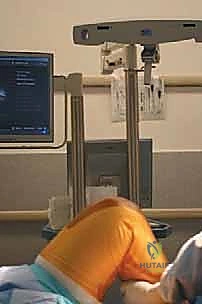
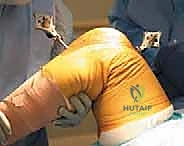
The navigation system should be placed opposite the surgeon. Before starting with patient registration (ie, landmark digitization), it is recommended that the camera be brought in line with the knee joint so that all instruments can communicate easily with each other during the surgery ( FIG 1 ).
-
The system must be set up before the operation begins. All trackers and pointing tools should be initialized and validated, and the pointer tip should be calibrated.
Approach
- All standard and minimally invasive approaches for exposure of the knee joint can be applied and supported with the navigation system. The standard median parapatellar approached is described here.
- The most commonly used skin incision for primary TKA is an anterior midline incision.
FIG 1 • The system should be placed opposite the surgeon to ensure instrument visibility.
EXPOSURE
- The incision is made with the knee in flexion to allow the subcutaneous tissue to fall sideways, which eases exposure.
the patella, extending 3 to 4 cm onto the anteromedial surface of the tibia along the medial border of the patellar tendon.
-
The skin incision should be long enough to avoid excessive skin tension during retraction, because that can lead to areas of skin necrosis.
-
The medial side of the knee is exposed by elevating the anteromedial capsule subperiosteally and elevating the deep medial collateral ligament off the tibia to the posteromedial corner of the knee.
-
The medial skin flap should be kept as thick as possible by keeping the dissection just superficial to the extensor mechanism.
-
The patella initially is everted to facilitate fat pad removal, but the remainder of the surgery is performed with the patella subluxated but not everted.
-
The retinacular incision is extended proximally to the length of the quadriceps tendon, leaving a 3to 4-mm cuff of tendon on the vastus medialis for later closure. The incision then is continued around the medial side of
-
The knee is flexed, and the anterior and posterior cruciate ligaments are removed.
PLACEMENT OF TRACKER PINS
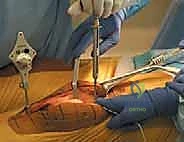
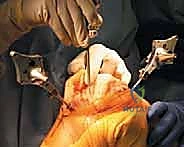
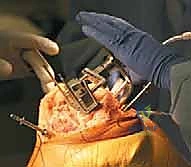
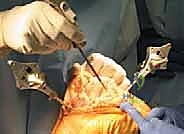
- All anchoring pins are placed within the incision. Although this requires a slightly longer incision, it greatly simplifies pin insertion and minimizes damage to muscle. It also eliminates the potential for fractures around the pins, because they are not placed in diaphyseal bone.
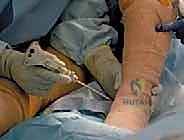
- On the femur, the anchoring pin is positioned medially on the anterior surface just at the proximal aspect of the metaphysis ( TECH FIG 1A ). The tracker pin must be proximal enough to avoid interfering with the femoral cutting jigs and trial components. Medial placement allows


TECH FIG 1 • A. Position of the tracker pins in the tibia and femur. B. The depth should be measured accurately to make sure the tracker pins will be inserted bicortically. A
B
a more distal pin placement (and, therefore, a smaller incision), because the medial portion of the femoral component does not extend as far proximally as the lateral femoral flange.
-
The anchoring pin should be angled 30 degrees away from the mid-sagittal plane to avoid interfering with tibial cutting guides.
-
For fixation, a pilot hole is predrilled with a 3.2-Amp drill. The pins should be driven bicortically using the insertion tool, and accurately measured for depth ( TECH FIG 1B ).
-
On the tibia, the anchoring pin should be inserted across the medial tibial plateau parallel to the joint line in the sagittal plane to avoid collision with the tibial cutting guide and the keel of the implant. Placement in this location with the knee flexed also minimizes the risk of injury to the posterior vascular structures.
-
Two trackers are used, one green and one blue. The green one is affixed to the femoral anchoring pin and the blue to the tibial anchoring pin. All femoral points are referenced off the green tracker and all tibial points off the blue tracker.
DETERMINATION OF FEMORAL HEAD CENTER
- The center of the hip joint is identified by rotating the hip with both the hip and knee flexed. The software geometrically produces the center of femoral head within 1 mm of accuracy ( TECH FIG 2 ). This is the most accurate way of identifying the center of rotation of the femoral head.
- During hip rotation, pelvic movement should be minimized. If the pelvis moves, an assistant should stabilize the pelvis and digitization should be repeated for location of the femoral head center.
A B DISTAL FEMUR MAPPING
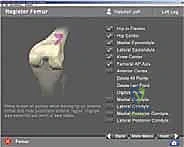
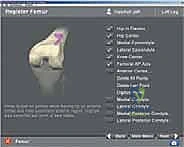
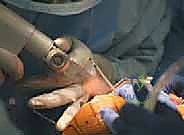
- The medial and lateral epicondyles and the knee center are digitized by placing the tip of the pointer at each point and pressing the Select button to record that point ( TECH FIG 3A,B ).
- For the femoral AP axis (Whiteside’s line), the axis of the pointer should be aligned with the most anterior point of the intercondylar groove ( TECH FIG 3C,D ). The Select button then is pressed for recording. The computer
A B


TECH FIG 3 • A. Digitization of the medial epicondyle using a navigation system pointer. B. Corresponding navigation system screenshot. C. Determination of Whiteside’s line. D. Corresponding navigation system screenshot. (continued)
D
C
F E


TECH FIG 3 • (continued) E. Digitizing the anterior cortex. F. Corresponding navigation system screenshot. G. Digitizing the medial condyle. H. Corresponding navigation system screenshot.
H software also averages the digitalized AP axis and transepicondylar axis, which can be used as an alternative reference for rotational alignment of the femoral component.
-
The computer automatically progresses to the next reference point when the number of selected points is enough for mapping.
-
In anterior surface mapping, the least prominent anterior region, which usually is located along the lateral border of the femur, should be included in the mapping ( TECH FIG 3E,F ) to minimize oversizing of the femoral component.
-
Surface mapping of the distal femur is determined by digitization of the anterior cortex, the distal and posterior surfaces of the medial condyle, and the distal and posterior surfaces of the lateral condyle.
-
When mapping the distal surface, the most distal aspect of the femoral condyle should be included ( TECH FIG 3G,H ).
-
For each surface, the tip of the pointer is located on that surface and digitizing is begun by pressing the Select button. The pointer’s tip should be moved on the surface in a painting fashion.
-
During digitization, the pointer should never leave the surface.
PROXIMAL TIBIA MAPPING
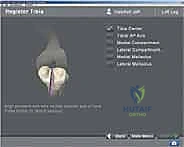
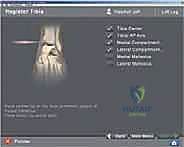
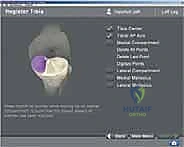
- The surfaces of medial and lateral compartments of the tibia are mapped and registered in the computer ( TECH FIG 4A,B ). The lowest point on each condyle must be digitized.
- The center of the tibial plateau and the anteroposterior axis also are digitized ( TECH FIG 4C,D ). The center of the insertion of the anterior cruciate ligament seems to be the most accurate landmark to use.


TECH FIG 4 • A. Digitizing the medial compartment of the tibia. B. Corresponding navigation system screenshot. (continued) A B
G
C D DETERMINATION OF THE CENTER OF THE ANKLE
- The medial and lateral malleoli are digitized, and the computer determines the center of the ankle as a reference for the anatomic axis of the tibia and the mechanical axis of the limb ( TECH FIG 5 ).


TECH FIG 5 • A. Digitizing the medial and lateral malleoli. B. Corresponding navigation system screenshot. A B
ASSESSMENT OF INITIAL ALIGNMENT AND DEFORMITY
- The trackers are attached to the anchoring pins, and the initial alignment, deformity, and range of motion are recorded. This information is extremely helpful in
determining soft tissue releases that must be performed, bone cuts, and actual component selection.
MAKING THE BONE CUTS
- In this section we describe an anterior referencing system. Posterior referencing software also is available. The technique described here involves cutting the femur first, before the tibia, but the software is flexible and also allows tibia-first approaches.
-
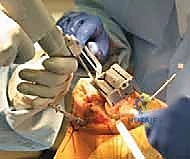
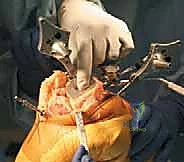
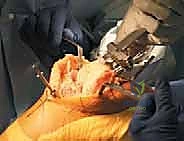
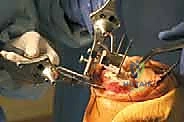
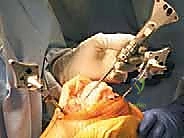
The freehand horseshoe guide is put on the distal femoral surface and is fixed with two pins ( TECH FIG 6B ). Then the distal femoral cutting guide is assembled on the horseshoe guide while the tracker is attached to the tracker interface ( TECH FIG 6C ).
-
For all bone cuts, the green tracker will be located proximal to the blue tracker. For example, during all femoral cuts, the green tracker will be on the femoral anchoring pin and the blue tracker on the cutting jig. For all tibial cuts, the blue tracker will be on the anchoring pin and the green tracker on the cutting jig.
-
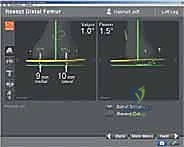
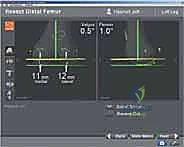
In the reactive workflow, the software automatically opens the Resect Distal Femur dialog box ( TECH FIG 6D ). On the screen, the yellow disc visualizes the actual cutting block position. At the same time, flexion–extension alignment and medial and lateral resection depth are numerically displayed.
-
The distal and lateral screws on the cutting device are adjusted until the cutting guide corresponds exactly to what the surgeon thinks is the most appropriate distal femoral resection for that patient ( TECH FIG 6E ).
Making the Distal Femoral Cut
- The reference for the distal femoral cut resection level is the most distal point of the digitized condyles. The system calculates the length of perpendicular distance, from the most distal point to the resection plane, thereby establishing the depth of cut ( TECH FIG 6A ).
- After fixation and position verification, the distal femur can be resected ( TECH FIG 6F,G ). For cut verification and documentation, a plane probe is held flush
A B
D E
G H


TECH FIG 6 • A. The system calculates the perpendicular distance, from the most distal point to the resection plane (depth of cut). B. The freehand horseshoe guide is fixed on the distal femoral surface. C. The distal femoral cutting guide is assembled on the horseshoe guide. D. In the Resect Distal Femur dialog box, the yellow disc is visualizing the actual cutting block position. E. The amount of femoral resection, flexion–extension, and varus–valgus orientation can be set up by the surgeon. F,G. Resection and verification of distal femoral cut. H. The femoral rotation guide and the blue tracker are placed on the distal femoral cut. I. Corresponding navigation system screenshot.
numerically with respect to the average rotational axis, as well as the digitized AP and transepicondylar axes ( TECH FIG 7A ). The surgeon decides which rotational reference to use.
against the cut surface while the tracker is attached to it ( TECH FIG 6H,I ). Adjustments to this cut can be made as deemed necessary by the surgeon.
Making the Femoral Rotational Cut
- The stylus is then attached to the rotational guide to prevent anterior notching (anterior referencing; TECH FIG 7B ).
-
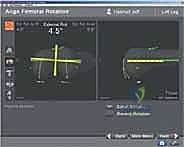
The blue tracker is attached to the rotation guide and placed on the distal femoral cut, and the Align Femoral Rotation menu is selected in reactive workflow. The yellow lines represent femoral rotation. Rotation is displayed
-
Once proper alignment is obtained, the anterior cut is made. Again, the surgeon must determine the actual


TECH FIG 7 • A. A stylus is attached to the rotational guide to determine the level on the anterior cut. B. The 4:1 cutting block is adjusted by the anterior cut surface and remaining femoral bone resections. A B
C
F
I Making the Proximal Tibial Cut
-
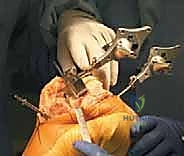
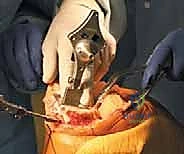
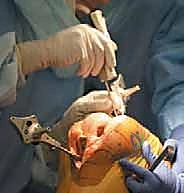
The horseshoe guide is fixed on the proximal tibia using two pins ( TECH FIG 9A–C ). The tibial cutting guide is then assembled on the horseshoe guide while the green tracker is attached.
-
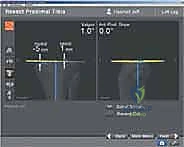
The Resect Proximal Tibia interface is selected on the workflow. The yellow line on the screen is the actual cutting block position. The varus–valgus alignment, slope, and mediolateral resection depth are displayed numerically.
-
The depth of resection, slope, and alignment are adjusted using adjusting screws, and then the cutting block is fixed to the tibial bone with two pins ( TECH FIG 9D,E ). Again, the surgeon decides on the depth, angle, and slope of the cut. The navigation system merely gives accurate numerical information to assist with this decision.


TECH FIG 8 • Horseshoe cutting guide is fixed on the proximal tibia.
depth of this cut with respect to the anterior cortex. The plane probe can be used to check the rotational accuracy of this cut.
- The proximal tibia is cut, and the cutting surface is verified and documented using Resection Plane Probe with the tracker on it ( TECH FIG 9F,G ).
Finishing Cuts on the Femur
- The 4:1 cutting block is adjusted with the anterior cut surface, and the remaining femoral bone resections are completed ( TECH FIG 8 ).
Tibial Rotation
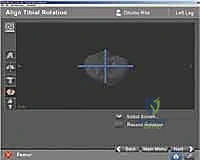
- Tibial rotation is set using the appropriate tibial template assembled to the alignment handle and tracker. On the reactive workflow, the Tibial Rotation screen is selected. The yellow cross shows the rotational alignment of the handle, which also is shown numerically ( TECH FIG 10 ).
-
Computer digitization has suggested a femoral size based on points chosen by the surgeon, but the size of the actual component chosen depends on many other factors that the surgeon must take into account when choosing the appropriate 4:1 cutting block.
-
The tibial template should be aligned in the proper position, as determined by the surgeon, and pinned into the tibia.
-
If it is not clear which size to choose, it is best to err initially on a larger size.
A B C
D E F


TECH FIG 9 • A. Assembled tibial cutting guide. B. Corresponding navigation system screenshot. C. The surgeon is able to set the depth, varus– valgus orientation, and slope of the tibial cut. D. Verification of proximal tibial cut. E. Corresponding navigation system screenshot. F. Tibial rotation is determined by the surgeon using the appropriate tibial template and tracker. G. Corresponding navigation system screenshot.
G


TECH FIG 10 • The space for the tibial component keel is prepared using a power burr ( A ) and impactor ( B ). B A
Tibial Component Insertion
- If a PCL-substituting design is chosen, the intercondylar box is removed to accommodate the housing for the post and cam mechanism ( TECH FIG 11B–F ).
- At this stage, osteophytes along the medial or lateral margins of the knee can be removed to anatomic contours. The space for the tibial component keel is prepared using a power burr and impactor ( TECH FIG 11A ).
B A
E F


TECH FIG 11 • A. Preparation of the intercondylar box for PCL-substituting prosthesis. B. The overall limb alignment and knee motion are assessed while trackers are attached. C–F. Corresponding navigation system screenshots.
D LIMB ALIGNMENT AND SOFT TISSUE BALANCE
- Trial components are placed, and the trackers are attached to the anchoring pins. Overall limb alignment and knee motion are assessed.
- Soft tissue then is selectively released according to the residual deformity present. (Specific details of how to balance the limb are beyond the scope of this chapter.)
PATELLA
- The patella is cut and balanced according to standard techniques.
IMPLANTATION OF COMPONENTS AND CLOSURE
- The technique described in this section uses standard techniques for final implantation \of components and closure.
choring pins can be left in place during implantation of components to check for accuracy of final component position and limb alignment.
- We remove the anchoring pins before implanting the components. However, if the surgeon prefers, the an-
💡 Pearls and Pitfalls
Hip center determination
- During hip movement to find the center of the hip, the pelvis should be stabilized; otherwise, the computer cannot locate the exact hip center.Digitization
- During digitization, the pointer should never leave the surface.Mid-range instability
- Mid-range instability often occurs in patients with severe valgus deformity. It can be avoided by releasing the posterior capsule if it is contracted, minimizing resection of the distal femur, and re-approximating the anatomic joint line.Position of the femoral and tibial
- In patients with hyperextension deformity: components in the sagittal plane
- Reduce bone cut off distal femur must be adjusted based on existing
- Place the femoral component in slight flexion deformity.
- In patients with flexion deformity
- Increase bone cut off distal femur:
- Avoid flexion of femoral component
Tibial slope
- To achieve more flexion in a particular patient, the tibial slope may be increased slightly. However, this may lead to anterior tibial translation and early posterior wear. Decrease in the tibial slope will lead to a decreased posterior joint space and decreased flexion.
Postoperative Care Outcomes
-
Postoperative Care After Navigation Tka Is The Same As That After The Standard Techniques.
-
Total knee arthroplasty has shown results that are both durable and consistent, with over 90% survivorship into the second decade. This long-term success has been related to patient characteristics and the accuracy with which the prosthesis is implanted.
-
Important perioperative interventions including prophylactic antibiotic, and deep vein thrombosis prophylaxis should be administered according to standard protocol. The limb is put in a compression bandage at the conclusion of the operation. Pain is controlled according to the selected pain management protocol.
-
The navigation system, unlike standard technique, makes it possible to significantly improve the mechanical alignment of the limb, sagittal and frontal alignment of the femoral and tibial components, and knee range of motion without increased short-term complications. This more accurate and precise positioning and alignment of the components should reduce the rate of long-term complications and revisions.
-
On the day of surgery, both passive and active range of motion is begun, and the patient sits on the side of the bed, stands with assistance, and walks if able. The importance of active and passive extension is emphasized to the patient.
-
The expected length of stay in the hospital is 3 or 4 days.
-
On the second and third postoperative days, the patient transfers to and from the bed and chair, sits up in a chair, and ambulates with weight bearing as tolerated using a walker or crutches.
-
At the same time, the physical therapist starts daily rehabilitation programs to increase knee range of motion and to strengthen the operated leg.
-
On the third or fourth postoperative day, the patient should achieve flexion of at least 70 degrees and can be discharged with a walker or crutches.
-
In the first 2 weeks, a patient should be visited at home by a nurse and physical therapist to check the wound and continue rehabilitation.
-
At 2 weeks, sutures or staples are removed, and the patient should be sent to an outpatient physical therapy facility if needed.
-
The patient is then seen at the office at 6 weeks and 6 months after surgery and then routinely followed every 3 years.
-
Barrack RL, et al. Component rotation and anterior knee pain after total knee arthroplasty. Clin Orthop Relat Res 2001;392:46–55.
-
Dutton AQ, et al. Computer-assisted minimally invasive total knee arthroplasty compared with standard total knee arthroplasty: a prospective, randomized study. J Bone Joint Surg Am 2008;90A:2–9.
-
Ensini A, et al. Alignments and clinical results in conventional and navigated total knee arthroplasty. Clin Orthop Relat Res 2007;457: 156–162.
-
Hart R, et al. Total knee arthroplasty implanted with and without kinematic navigation. Int Orthop 2003;27:366–369.
-
Insall JN, Scott WN, eds. Surgery of the Knee. Philadelphia: Churchill Livingstone, 2001:1553–1619.
-
Jeffery RS, Morris RW, Denham RA. Coronal alignment after total knee replacement. J Bone Joint Surg Br 1991;73:709–714.
-
Matziolis G, Perka C, Labs K. Acute arterial occlusion after total knee arthroplasty. Arch Orthop Trauma Surg 2004;124:134–136.
-
Stockl B, et al. Navigation improves accuracy of rotational alignment in total knee arthroplasty. Clin Orthop Relat Res 2004;426:180–186.
-
Yoo JH, et al. Anatomical references to assess the posterior tibial slope in total knee arthroplasty: a comparison of 5 anatomical axes. J Arthroplasty 2008;23:586–592.

You Might Also Like